
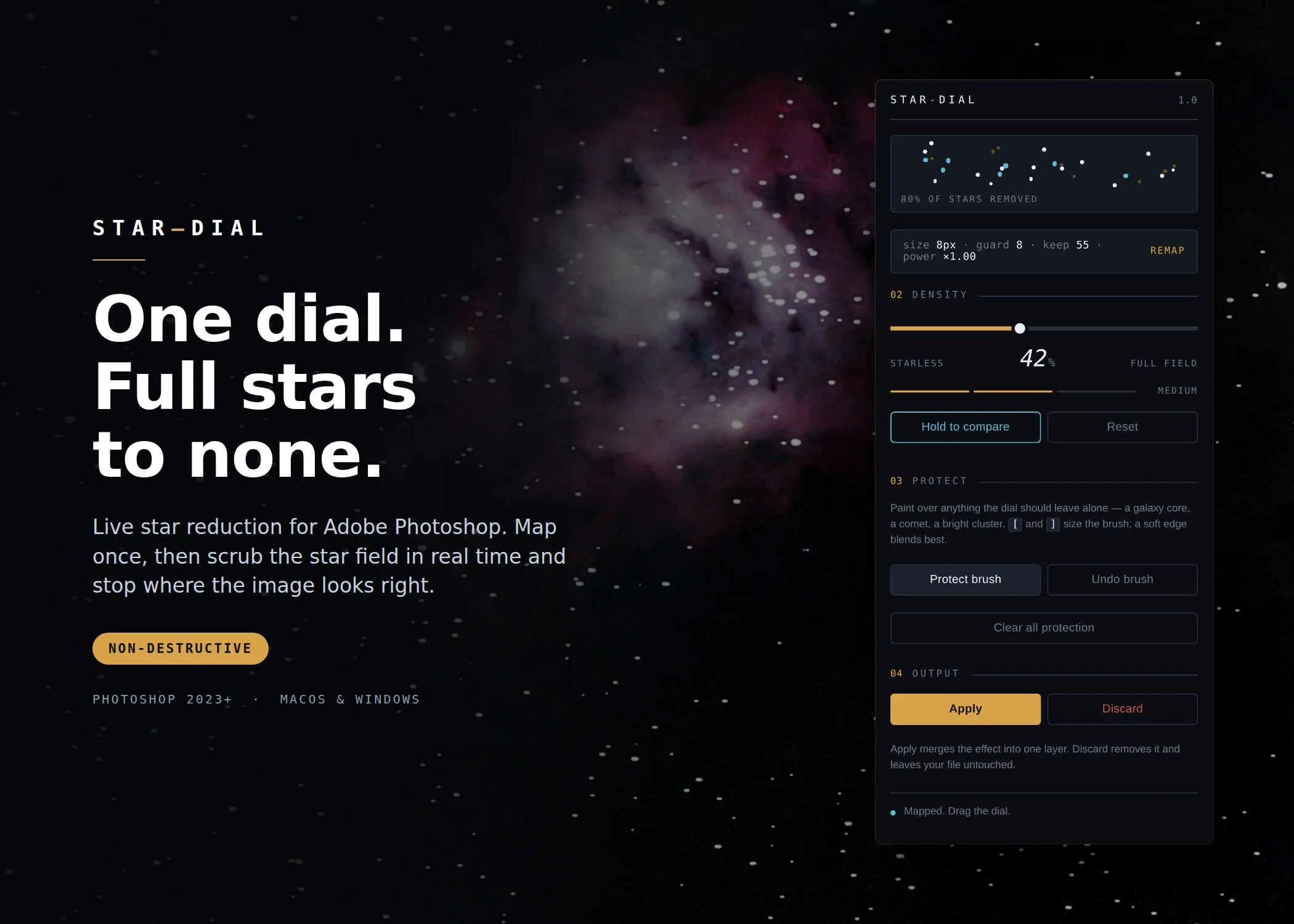
 Image 1 of 5
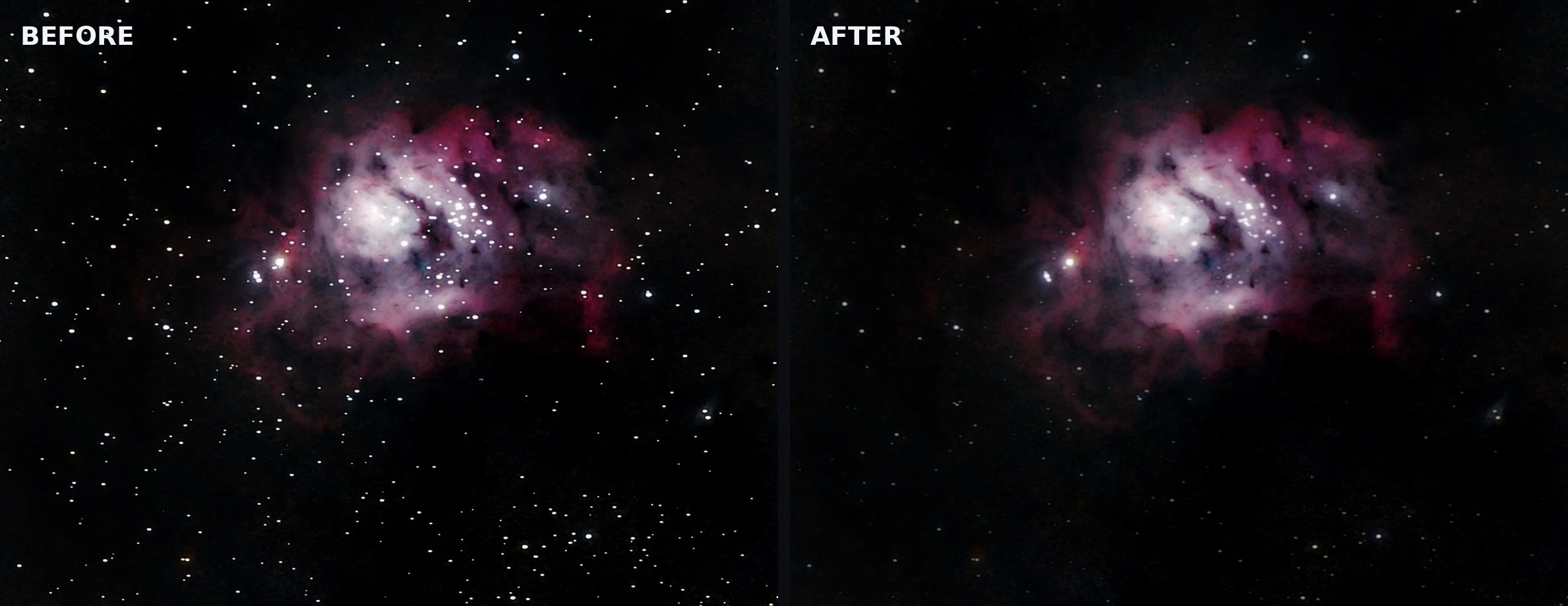 Image 2 of 5
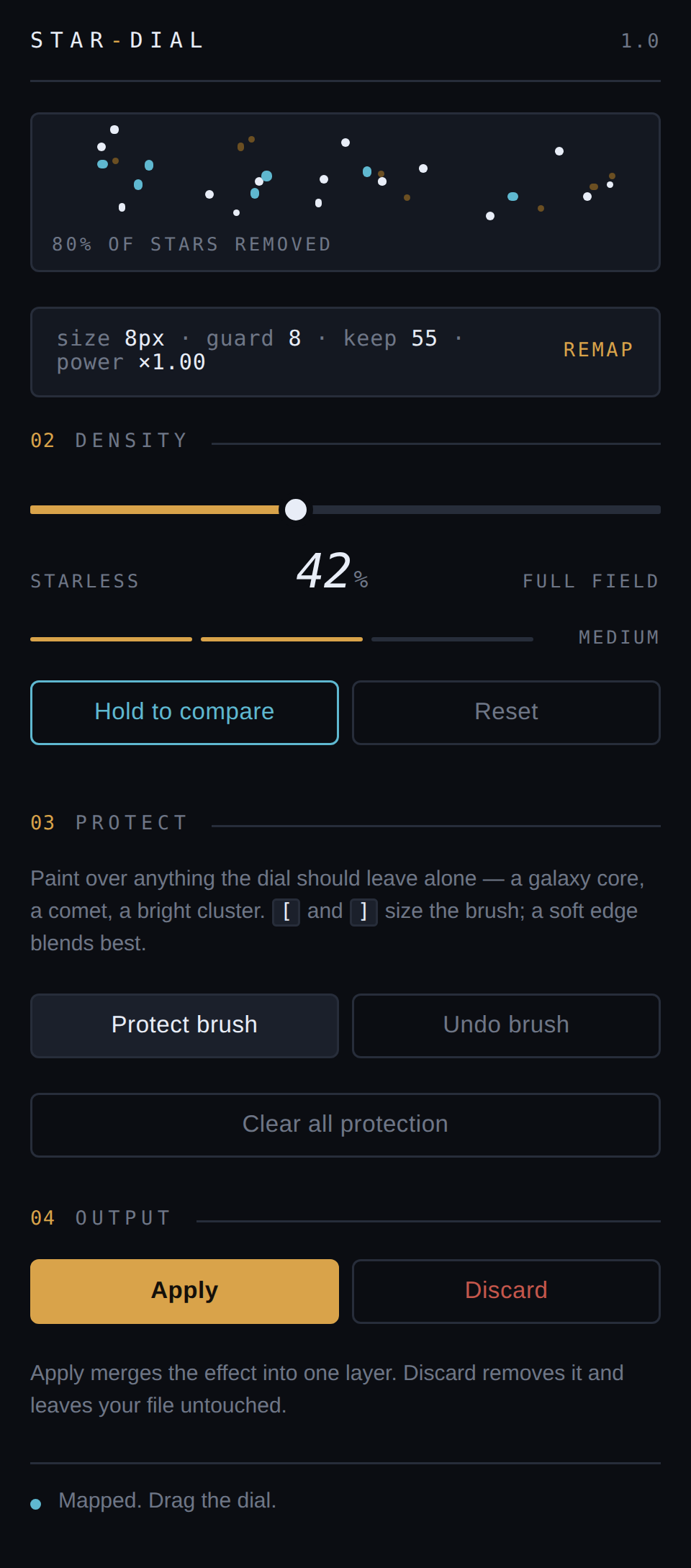 Image 3 of 5
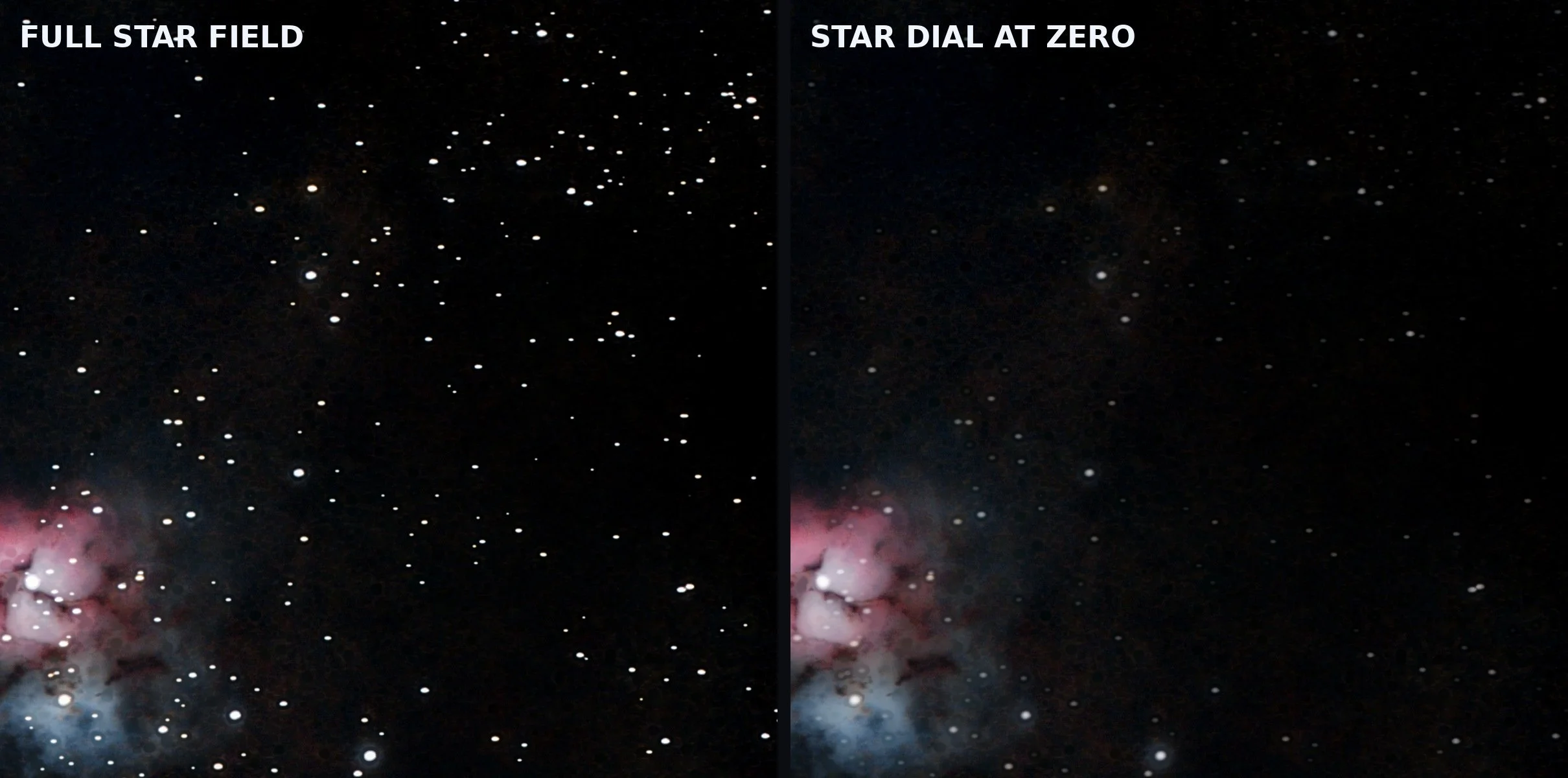 Image 4 of 5
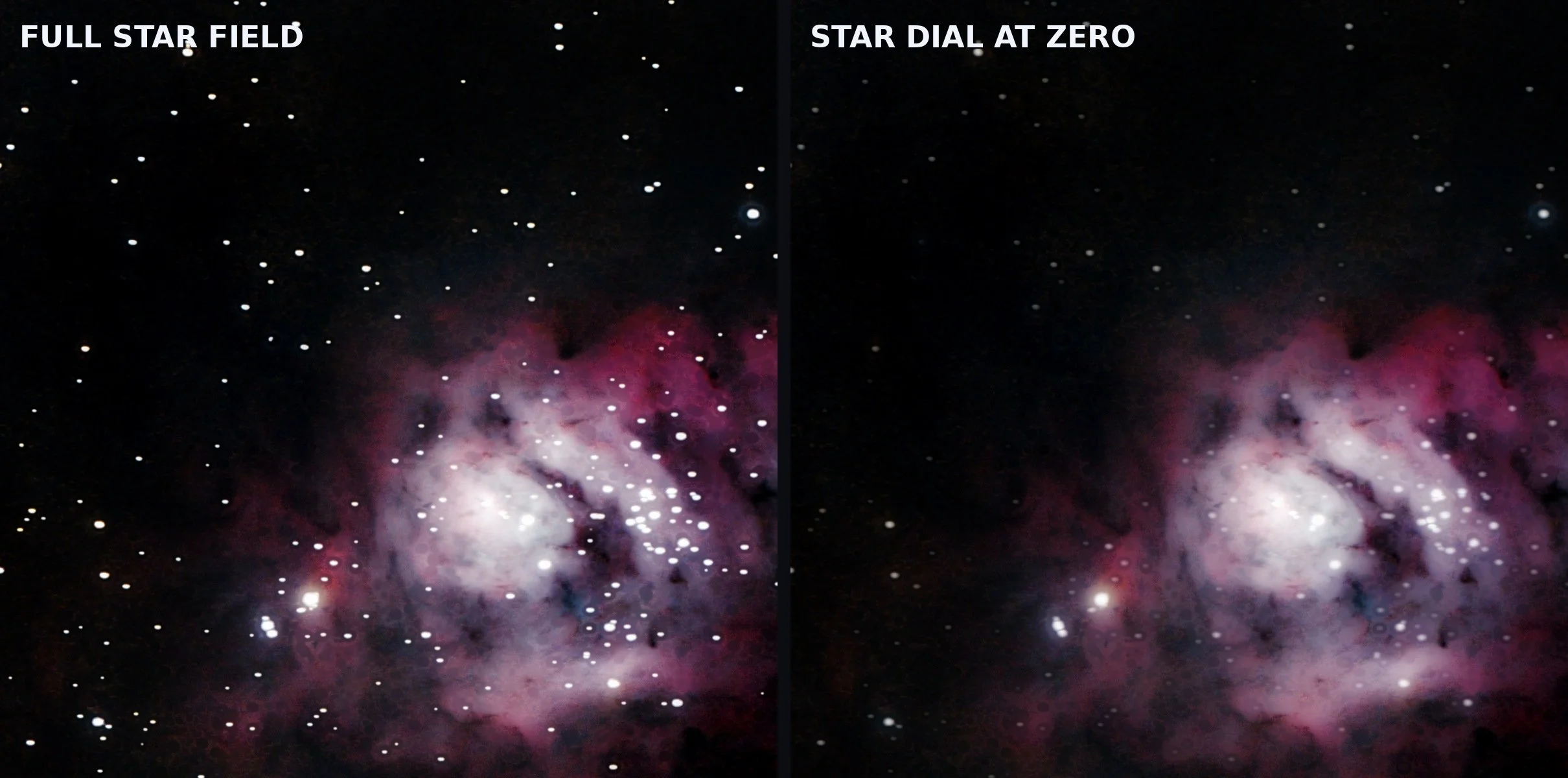 Image 5 of 5
Every star reduction workflow has the same problem: you commit before you can see. You pick a strength, you wait, you look at the result, and if it's wrong you do the whole thing again.
Star Dial separates the two halves of that job. Mapping happens once — it measures your star field and builds a stack of progressively star-reduced versions of your image, each masked so only stars are touched. The dial then crossfades between them by changing layer opacity, which is a compositing operation rather than a pixel one. That's why it's instant, even on a 50-megapixel frame.
So you stop guessing. You drag, you watch the frame breathe, and you let go where it looks right.
No round-trip to an external application. No TIFF export, no separate starless file to manage, no waiting for a second program to hand your image back. Star Dial is a Photoshop panel operating on your open document with Photoshop's own tools.
Mapping adds one layer group. Your original layers are never modified. Apply merges the result into a single layer when you're happy; Discard removes everything and leaves the file exactly as it was.
Keep bright stars holds the brightest cores at full strength while faint field stars still reduce — so the image still reads as an astrophoto instead of a nebula cut-out. Nebula guard stops dust lanes and galaxy edges from eroding. And when an algorithm can't be expected to know better — a globular cluster, a comet nucleus, a galaxy core — the Protect brush lets you paint the areas the dial must leave alone.
Erosion and mask width are computed from a single Star size setting, so the same controls behave sensibly on a 12-megapixel frame and a 50-megapixel one. A Max reduction control sets how hard the starless end pushes when you want to go further.
Key Features:
Map once, scrub freely — the slow pass runs once; the dial is instant
Hold to compare — snap back to the original while you hold the button
Non-destructive — one layer group; Discard restores your file untouched
Keep bright stars — reduce the field without flattening the bright cores
Nebula guard — protects nebulosity, dust lanes and galaxy edges
Protect brush — paint over anything the dial should leave alone
Scales to your resolution — everything derives from one Star size setting
Stays in Photoshop — no external app, no round-trip, no extra files
RGB and Grayscale, 8- and 16-bit — Photoshop 2023 (v24) or later
macOS and Windows
Every star reduction workflow has the same problem: you commit before you can see. You pick a strength, you wait, you look at the result, and if it's wrong you do the whole thing again.
Star Dial separates the two halves of that job. Mapping happens once — it measures your star field and builds a stack of progressively star-reduced versions of your image, each masked so only stars are touched. The dial then crossfades between them by changing layer opacity, which is a compositing operation rather than a pixel one. That's why it's instant, even on a 50-megapixel frame.
So you stop guessing. You drag, you watch the frame breathe, and you let go where it looks right.
No round-trip to an external application. No TIFF export, no separate starless file to manage, no waiting for a second program to hand your image back. Star Dial is a Photoshop panel operating on your open document with Photoshop's own tools.
Mapping adds one layer group. Your original layers are never modified. Apply merges the result into a single layer when you're happy; Discard removes everything and leaves the file exactly as it was.
Keep bright stars holds the brightest cores at full strength while faint field stars still reduce — so the image still reads as an astrophoto instead of a nebula cut-out. Nebula guard stops dust lanes and galaxy edges from eroding. And when an algorithm can't be expected to know better — a globular cluster, a comet nucleus, a galaxy core — the Protect brush lets you paint the areas the dial must leave alone.
Erosion and mask width are computed from a single Star size setting, so the same controls behave sensibly on a 12-megapixel frame and a 50-megapixel one. A Max reduction control sets how hard the starless end pushes when you want to go further.
Key Features:
Map once, scrub freely — the slow pass runs once; the dial is instant
Hold to compare — snap back to the original while you hold the button
Non-destructive — one layer group; Discard restores your file untouched
Keep bright stars — reduce the field without flattening the bright cores
Nebula guard — protects nebulosity, dust lanes and galaxy edges
Protect brush — paint over anything the dial should leave alone
Scales to your resolution — everything derives from one Star size setting
Stays in Photoshop — no external app, no round-trip, no extra files
RGB and Grayscale, 8- and 16-bit — Photoshop 2023 (v24) or later
macOS and Windows